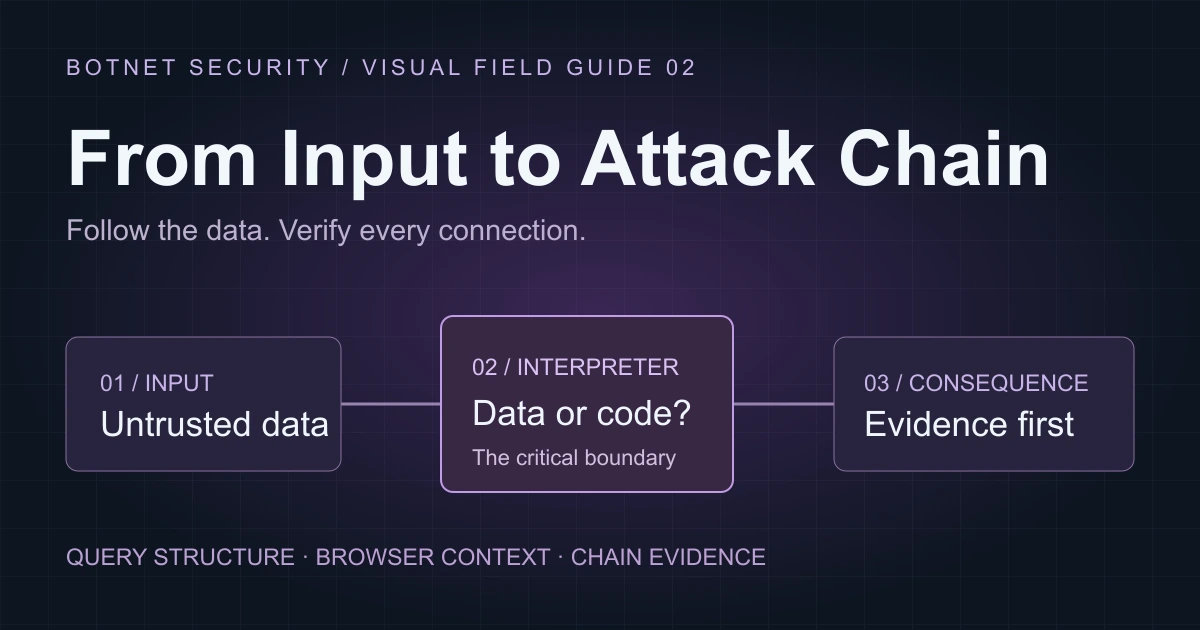
Inspired by generalized themes from a Botnet Security education-sector assessment. Campus Demo, its users, records, messages and code are fictional teaching examples—not customer evidence or an exploitable application.
A report filter should select data. A feedback note should display text. Trouble starts when either is interpreted as instructions.
Part 1 followed identities and access decisions. Here, follow input into two different interpreters: a database query engine and a browser. The goal is to recognize the failed boundary, understand the repair and avoid claiming an attack chain that the evidence does not support.
01 / A field name is not a value
Campus Demo lets staff choose a report field and a status filter. Both arrive as input, but they play different roles. The status is a literal value. The chosen field influences query structure.
Admissions report
Two inputs. Two different trust decisions.
- Field choice
- createdDate
- Status filter
- submitted
- Tenant scope
- From validated session
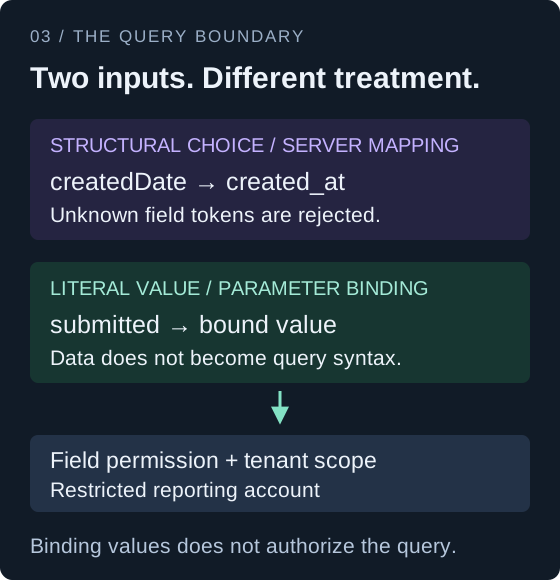
Prepared statements protect values. Most database APIs cannot use an ordinary value placeholder for a table name, column name or sort direction. Those choices need fixed server-owned mappings. Passing an unchecked client string into query structure breaks the boundary between data and command syntax.
This pseudocode illustrates the intended repair. Its query builder is conceptual: a real implementation must use its library's documented identifier handling and parameter binding.
# Defensive pseudocode — not a complete endpoint
fields = {
  "createdDate": "created_at",
  "applicationStatus": "status"
}

column = fields.get(request.field)
if column is None:
    reject_unknown_field()

require_field_permission(actor, column)
query.select_fixed_column(column)
query.where_equal("tenant_id", actor.tenant_id)
query.where_equal("status", request.status)
query.execute_with_bound_values()
A permitted column can still hold data the actor may not see, so field permissions and tenant scoping remain necessary. Restrict the reporting database account to the views and operations it needs. Read-only access can still expose too much; SQL injection does not automatically establish operating-system access.
Evidence checkpoint: a database error or slow response is a lead, not proof of query control. Application behavior, code review or database telemetry must distinguish the suspected failure from validation errors, load and network delay.
02 / Stored does not mean trusted
A student submits a note. The application stores it. Later, a staff member opens a review screen. The input has changed location and reader, but it has not become trustworthy.
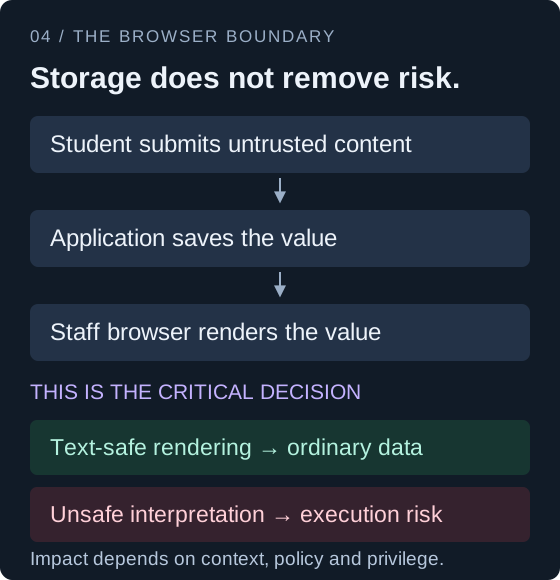
Stored cross-site scripting occurs when persisted untrusted input later becomes executable in a browser context. The submitting user and the affected viewer may differ. That explains why a low-privilege feature can matter to a staff workflow, without proving that every staff action becomes available.
For ordinary text, use a text-safe rendering API. This benign example contains formatting characters, not an exploit. It shows why preserving data as data is a deliberate design decision.
// A plain-text note does not need an HTML parser.
const note = "Lab note: <b>draft</b>";
preview.textContent = note;

// Visible result:
// Lab note: <b>draft</b>
// The tag characters remain ordinary text.
Rich text is different: if formatting is required, use a maintained sanitizer with a restricted policy. Encoding must match the destination; HTML text, URLs and JavaScript contexts are not interchangeable. Review previews, notification views and exports where the same stored value can be rendered again.
Content Security Policy may limit script execution, depending on the actual policy. HttpOnly blocks JavaScript from reading a cookie, but does not prevent an injected script from making requests through the signed-in browser. Neither control replaces correct output handling.
Evidence checkpoint: a saved marker proves persistence. Its appearance in a staff view proves a data flow. Neither observation, by itself, proves script execution or an administrative consequence.
03 / Connect evidence, not labels
SQL injection and XSS appearing in one report do not automatically form a chain. A chain requires one step's supported outcome to satisfy the next step's precondition in the same environment.
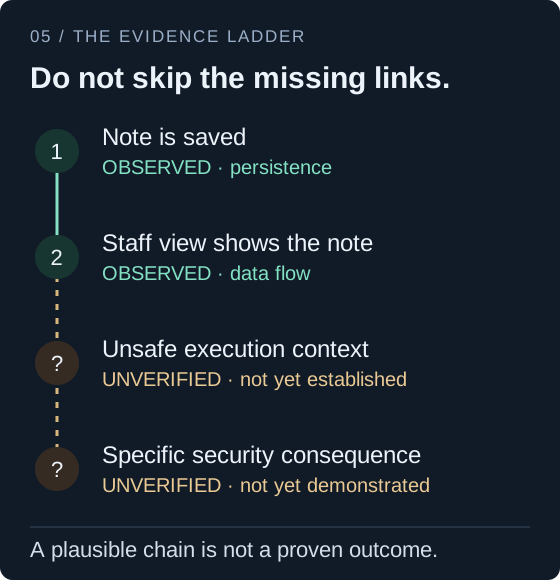
In the fictional ladder, the first two observations establish where content travels. The later connections remain unverified. Calling the result “administrator takeover” would jump over both the execution boundary and the question of what that browser session can actually do.
Use precise evidence labels: observed for recorded behavior, demonstrated for a supported security consequence, and hypothesized for an unverified connection. Explain the starting identity, failed control, resulting capability and controls that still constrain it. Severity scores cannot be added together to calculate a chain score.
- Retest the query rule: field choices remain fixed, values stay bound, and the reporting principal retains only required access.
- Retest the rendering rule: text remains text, while supported rich content follows the same sanitization policy in every relevant view.
- Retest the business outcome: the repaired control blocks the unauthorized consequence without breaking legitimate work.
The research habit: trace where data changes meaning, prove the smallest meaningful consequence within scope, and keep uncertainty visible. That makes the report useful to the engineer who has to repair it.
Further reading: OWASP SQL injection prevention · OWASP XSS prevention. Practice only in authorized environments and purpose-built labs such as Web Security Academy.